Terraform Best Practices for Production — Modules, State Management & CI/CD
Learn the Terraform patterns that separate amateur scripts from production-grade Infrastructure as Code: module design, remote state, Terragrunt, and CI/CD pipeline integration.
Rajesh Vardhan Busam
Cloud Engineer & IaC Specialist
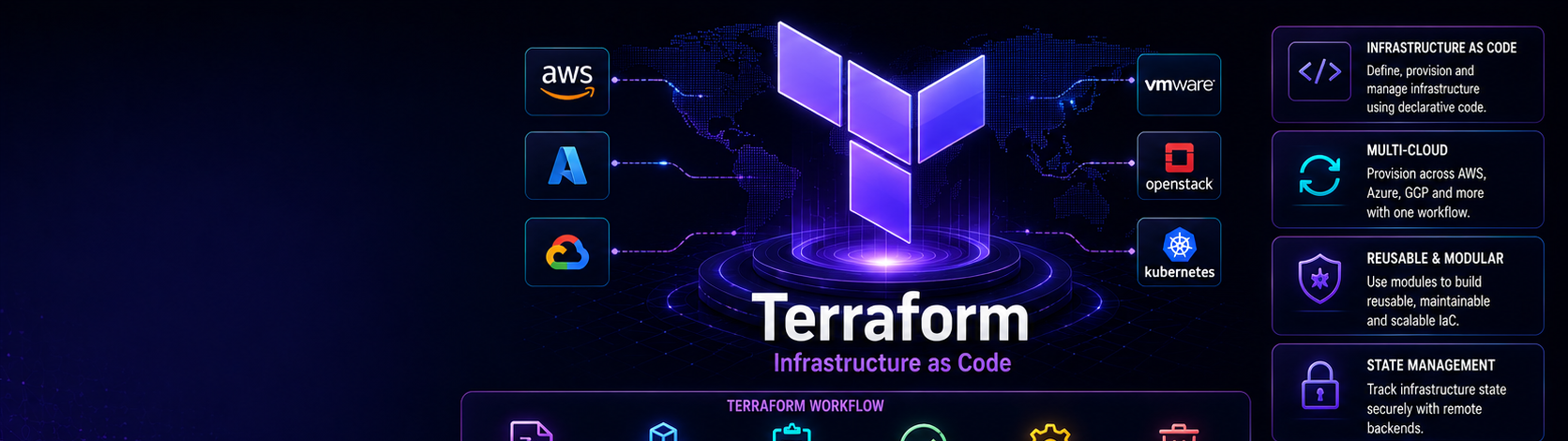
Terraform makes it possible to define your entire cloud infrastructure as code — versioned, reviewed, and reproducible. But the difference between a Terraform project that scales gracefully across a team and one that becomes a tangled, dangerous mess comes down to practices. Anyone can write a resource block; the skill is structuring, securing, and operating Terraform so it stays reliable as your infrastructure grows. This guide covers the practices that matter in production.
Why Infrastructure as Code Matters
Before Terraform, infrastructure was created by clicking through cloud consoles — an approach that is slow, error-prone, undocumented, and impossible to reproduce reliably. Infrastructure as Code replaces this with declarative files that describe your desired infrastructure. You get version history, code review, repeatability across environments, and the ability to destroy and recreate an entire environment on demand. Terraform is the industry standard because it is cloud-agnostic and has an enormous provider ecosystem.
1. Manage State Remotely and Lock It
Terraform tracks what it has created in a state file. By default this lives on your laptop, which is a disaster for teams: two people running Terraform at once will corrupt it, and the file often contains sensitive values. Always store state remotely — for example in an S3 bucket — with a locking mechanism such as DynamoDB so only one apply can run at a time. A typical backend configuration looks like this:
terraform {
  backend "s3" {
    bucket         = "mycompany-terraform-state"
    key            = "prod/network/terraform.tfstate"
    region         = "ap-south-1"
    dynamodb_table = "terraform-locks"
    encrypt        = true
  }
}
Enable versioning on the bucket so you can recover from mistakes, and never commit state files to Git.
2. Structure Code into Reusable Modules
Copying and pasting resource blocks between environments leads to drift and bugs. Instead, package related resources into modules — for example, a network module that creates a VPC, subnets, and routing. Environments then call the same module with different variables. This keeps your code DRY, makes changes consistent across environments, and lets you review infrastructure at a meaningful level. A good module has clear input variables, sensible outputs, and does one job well.
3. Separate Environments Cleanly
Never let a single Terraform run manage development and production together — one mistake could take down production. Separate environments using either distinct state files per environment or separate directories that call shared modules with environment-specific variables. The goal is that a change to staging can never accidentally affect production, and each environment can be planned and applied independently.
4. Always Review the Plan
Terraform plan shows exactly what will be created, changed, or destroyed before anything happens. Treat this output as sacred. In a team, wire it into your pull request process so every infrastructure change shows its plan for reviewers, and require approval before apply. Pay special attention to anything Terraform intends to destroy or replace — an accidental replacement of a database can cause data loss.
5. Never Hardcode Secrets
Passwords, API keys, and tokens must never be written into your Terraform files, because those files live in Git. Instead, pass secrets in through environment variables or a secrets manager such as HashiCorp Vault or your cloud's secret store, and mark sensitive variables and outputs as sensitive so Terraform does not print them. Remember that any secret referenced in Terraform can also end up in the state file, which is another reason to encrypt and restrict access to state.
6. Pin Versions
Terraform and its providers evolve, and an unexpected version change can break your setup or introduce surprising behaviour. Pin the Terraform version and provider versions explicitly, and commit the dependency lock file. This guarantees that everyone on the team, and your CI pipeline, uses the same versions and gets the same results.
7. Use Variables and Outputs Well
Expose everything that changes between environments as input variables with clear descriptions and sensible defaults, and validate them where possible. Use outputs to surface useful values — such as a load balancer address or a database endpoint — so other modules and humans can consume them without digging through state. Well-designed variables and outputs make a module feel like a clean, documented API.
8. Integrate Terraform into CI/CD
Manual applies from laptops do not scale and are hard to audit. Run Terraform through a pipeline: on a pull request, run format check, validate, a security scan with a tool like tfsec or Checkov, and terraform plan, posting the plan for reviewers. On merge to the main branch, run apply automatically or behind a manual approval gate. This gives you a full audit trail and consistent, reviewable infrastructure changes.
9. Keep Formatting and Linting Consistent
Run terraform fmt to keep code consistently formatted, and terraform validate to catch syntax and configuration errors early. Add these as automated checks so no unformatted or invalid code merges. Small discipline here prevents noisy diffs and confusing reviews.
Common Mistakes to Avoid
- Keeping state on a laptop or committing it to Git.
- One giant Terraform configuration for everything, so every change is risky.
- Applying directly to production without a reviewed plan.
- Hardcoding secrets, then leaking them through Git or state.
- Ignoring the resources Terraform says it will destroy.
Frequently Asked Questions
Terraform or Ansible? They solve different problems and work well together. Terraform provisions infrastructure; Ansible configures software on the servers Terraform creates.
How do I import existing infrastructure? Terraform can import existing resources into state so you can start managing them as code, though it takes care to get right.
Is Terraform enough to get hired? Infrastructure as Code is expected in most DevOps roles, and Terraform is the most requested tool — combined with cloud and CI/CD skills it is very employable.
Our Infrastructure as Code module at Infinity Cloud Labs teaches Terraform through real, production-style projects — remote state, modules, CI/CD integration, and security scanning — on infrastructure you control, in both English and Telugu.
Tags